![branded_update_bb_logo_r_230728-2.png]](https://knowledge.benefitbay.com/hs-fs/hubfs/branded_update_bb_logo_r_230728-2.png?width=234&height=70&name=branded_update_bb_logo_r_230728-2.png)
Adding an Employee
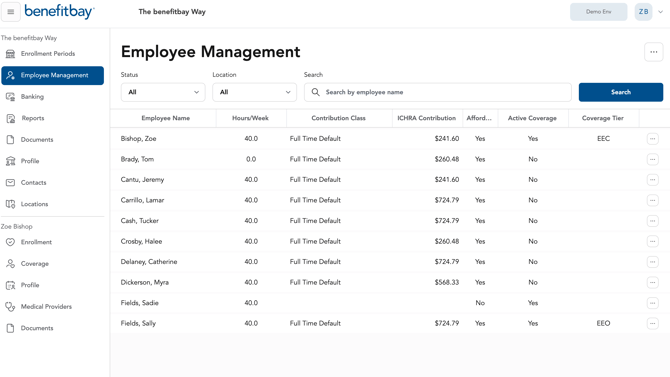
Select the "Employee Management" tab.
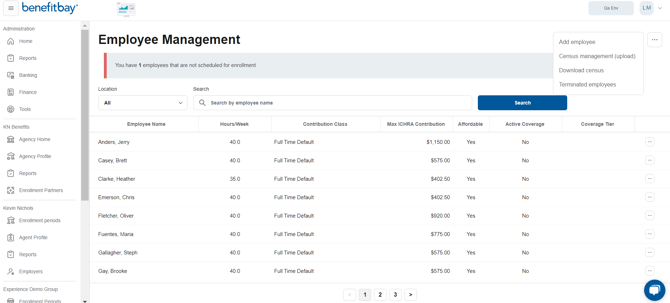
Click on the 3 dots in the top right corner of the screen and select the "Add employee" option.
All information is important to ensure proper employer contributions.
Enter all the employee's requested information.
Employee Information:
- External employee ID
- First Name
- Last Name
- Date of Birth
- Gender
- Social Security Number
- Tobacco User (*this information can impact the premium quotes provided to employees during the shopping experience)
- Home Address 1
- Home City
- Home State
- Home ZIP code
- Home County
- Personal Phone Number
- Personal Email
Employment Information:
- External employee ID
- Job title
- Phone
- Pay type: Hourly or Salary
- Annual wages (for salaried employees; enter pay type as salary)
- Hourly rate (for hourly employees; enter hours per week and pay type as hourly)
- Hours per week
- ACA Benefit Status: Full Time or Part Time
- Worksite location (*this is important if you have multiple locations to ensure employees are allocated to the correct location on reports)
- Legal entity
Tips When Hiring New Employees
Employee education is vital for successful ICHRA enrollmentClick here to view helpful email templates for your Human Resources to utilize for new hire orientation/onboarding
Click here to view the Employee KnowledgeBase. We encourage your company to share this resource with all new hires.
If your company hires several employees at once, be sure to check with your agent or Customer Success Manager to review your company's ARC Account balance to ensure there are no overdrafts.