![branded_update_bb_logo_r_230728-2.png]](https://knowledge.benefitbay.com/hs-fs/hubfs/branded_update_bb_logo_r_230728-2.png?width=234&height=70&name=branded_update_bb_logo_r_230728-2.png)
Video Walk-through of the Finance Page
This video walks through all features of the Finance page within benefitbay.
To access the Finance page, log into benefitbay and click on the Finance tab on the left navigation bar.
Premium Funding Statements
The Finance tab opens onto your company's Premium Funding Statements, which are provided upon the funding of your company’s ARC account.
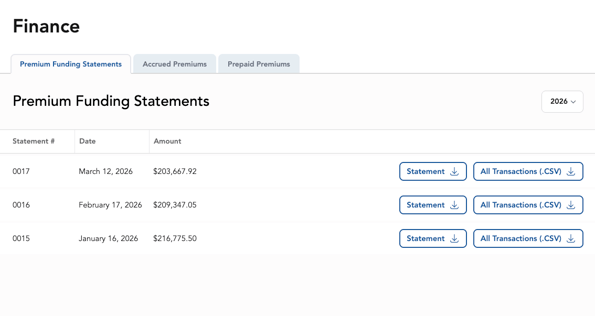
Use the coverage year dropdown to access previous years’ records.
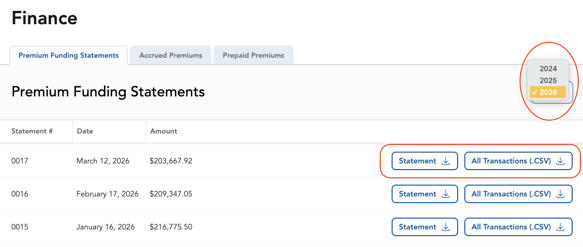
Click on the Statement button to download a multi-page PDF document of the funding statement for your company’s financial records.
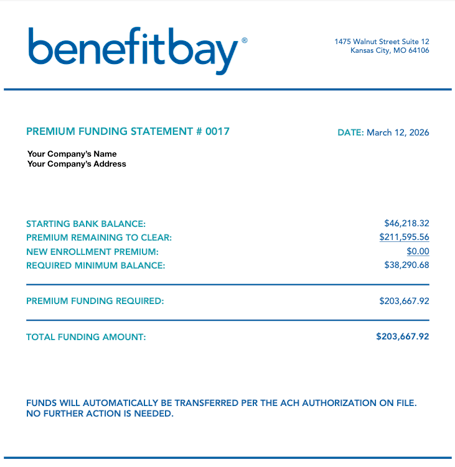
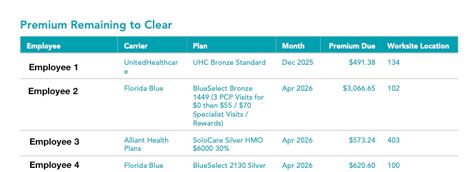
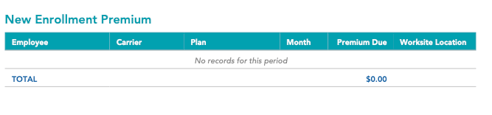
Clicking the underlined numbers ("Premiums Remaining To Clear" and "New Enrollment Premium") links to the corresponding pages in the PDF. You can also scroll down to see each section, and a subtotal at the end.
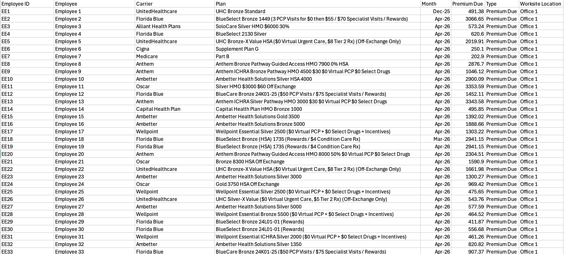
Click on the All Transactions (.CSV) button to download a CSV of all premiums funded by that day's funding pull.
Outstanding Premiums
Please be aware: the All Transactions (.CSV) spreadsheet lists all outstanding premiums waiting to clear. The total of the outstanding premiums is the “Premium Remaining to Clear” listed on the Premium Funding Statement sheet.
In the below example, the premiums remaining to clear are all from Month 1.
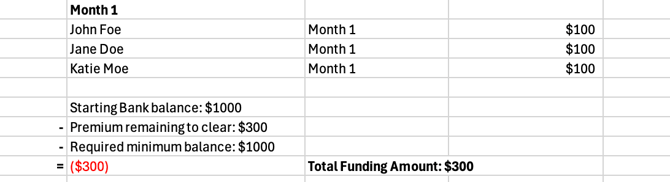
In the next example, the Month 1 premium for employee Katie Moe was not pulled by the carrier. The Month 1 premium for the employee is listed in the funding report. The premium is included in the "Premiums remaining to clear" but it is also included in the "Starting Bank Balance," and is subtracted from the total funding amount.
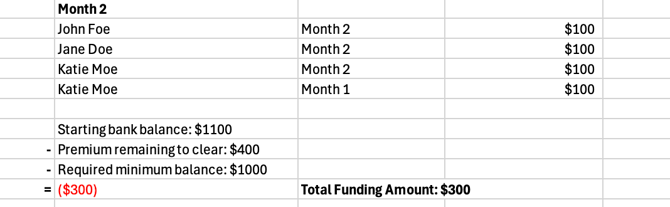
In the above example, it is shown that even though the outstanding premium is listed twice, it is NOT a double billing.
Please note: the Premium Funding Statements and All Transactions report will only generate for companies who participate in automatic ACH funding.
Accrued and Prepaid Premiums Reports
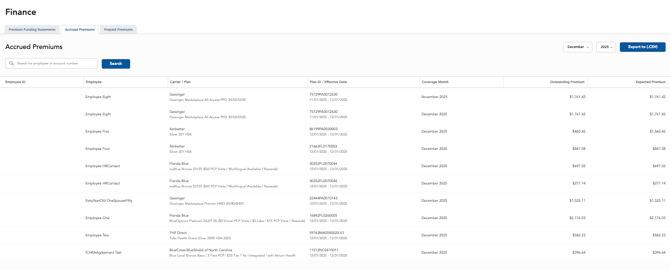
What is an Accrued Premium?
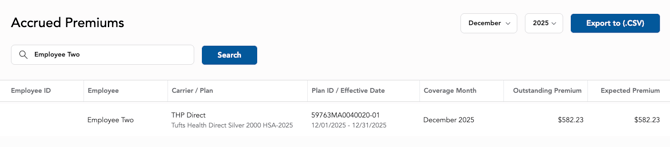
The Accrued Premiums report displays premium payments that have been funded by your company, and are being held in your company’s ARC account, but have not yet been withdrawn by the carrier.
For example, if a premium for the month of March is funded, but not withdrawn by the carrier until April, the March premium will appear in the Accrued report until the carrier makes the withdrawal from the employee’s ARC account. While this situation is rare, we want your company to have visibility on these transactions.
What is a Prepaid Premium?
Prepaid Premiums occur when a carrier withdraws more than the current month’s funding from an employee's ARC account. For example, if a carrier withdraws two months when only one month is due, the additional month will be listed as a prepaid asset. While this situation is rare, we want your company to have visibility on these transactions.
Navigating the reports
You can sort both reports by using the month and year drop-downs on the right. You can also export the reports to CSV.

To search for specific employee transactions, use the search bar and search for an employee’s name.