![branded_update_bb_logo_r_230728-2.png]](https://knowledge.benefitbay.com/hs-fs/hubfs/branded_update_bb_logo_r_230728-2.png?height=40&name=branded_update_bb_logo_r_230728-2.png)
Watch this video to help you get started.
Welcome Email
You will receive (or may have already received) an email from the benefitbay® platform announcing you are eligible to shop for, enroll in, and purchase medical insurance benefits.
The email will be sent from system@benefitbay.com
You will receive an email (pictured below) from benefitbay to the email address we have on file for you when its time to setup your new benefitbay account. Take note of that email address because that will be the email address you use to log into the benefitbay platform.
To begin your enrollment, click the "Get Started" button in the email. You will not need to create or enter a password.

Signing In
benefitbay uses passwordless sign-in, so there is nothing to create, remember, or reset.
After you click the button in your welcome email, you will land on a benefitbay page that already shows your email address.
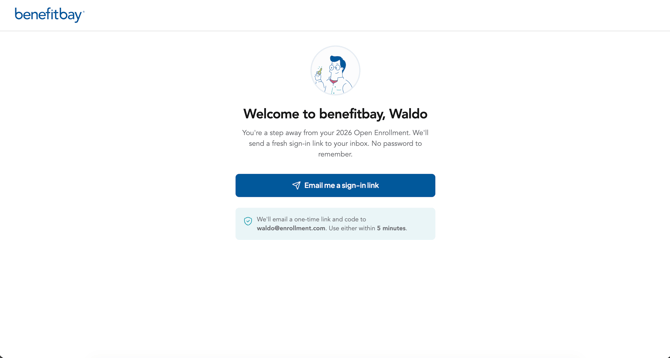
Click "Email me a sign-in link." We will send you a single email that contains both: a sign-in link you can click, and a 6-digit code you can type in.
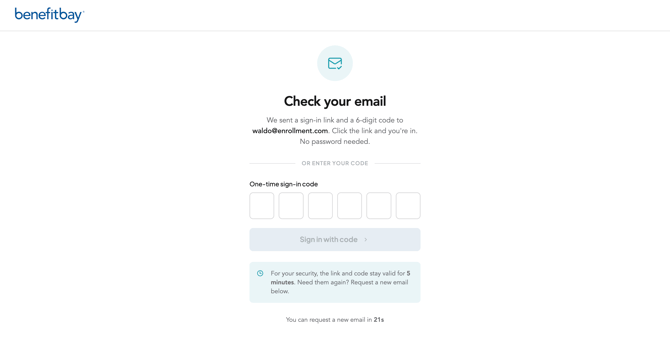
Use whichever is easier for you: click the link in the email to sign in, or enter the 6-digit code on the sign-in screen. You can enter the code on a different device from the one where you requested it (for example, request it on your computer and read the code on your phone).
Once your link or code is accepted, you will be logged in and taken to your Employee Home page.
To sign in again anytime, go to app.benefitbay.com, enter your email address, and request a new sign-in link and code the same way.
For your security, each sign-in link and code can be used only once and expires after a few minutes. If your link or code has expired or already been used, just click "resend" on the login screen to get a fresh email.
Please note: for assistance in logging in, please email support@benefitbay.com. Replying to the login email will not reach our support team.
Click here to see the next video/article of the journey.