![branded_update_bb_logo_r_230728-2.png]](https://knowledge.benefitbay.com/hs-fs/hubfs/branded_update_bb_logo_r_230728-2.png?height=40&name=branded_update_bb_logo_r_230728-2.png)
Watch this video for guidance on adding your healthcare providers.
Adding Providers
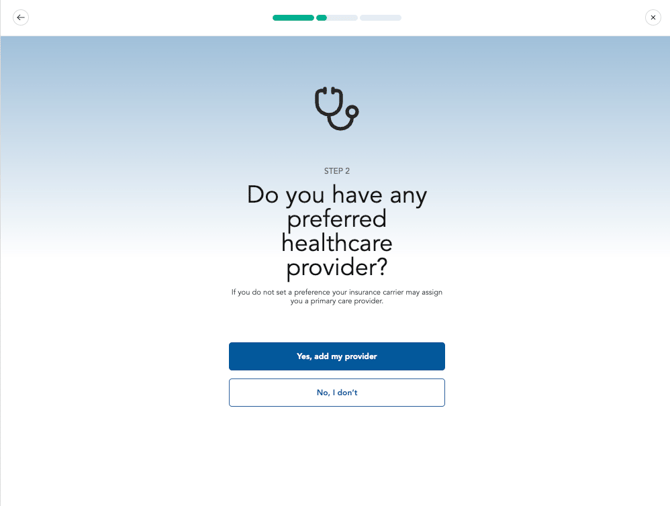
Next, you have the options to add the healthcare providers and facilities that matter most to you and your loved ones. To continue, click “Yes, add my provider".
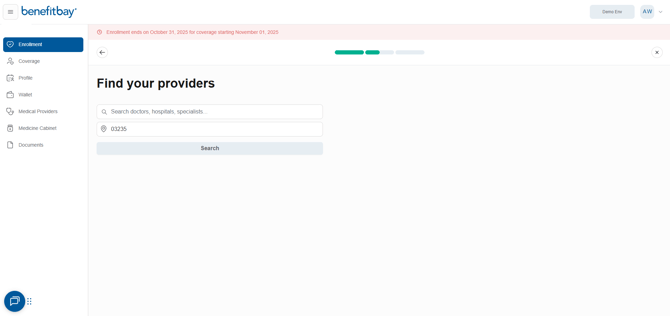
Search for a provider by entering their name, facility, or specialty. Your home address zip code will fill in automatically. Click the blue "Search" button to continue.
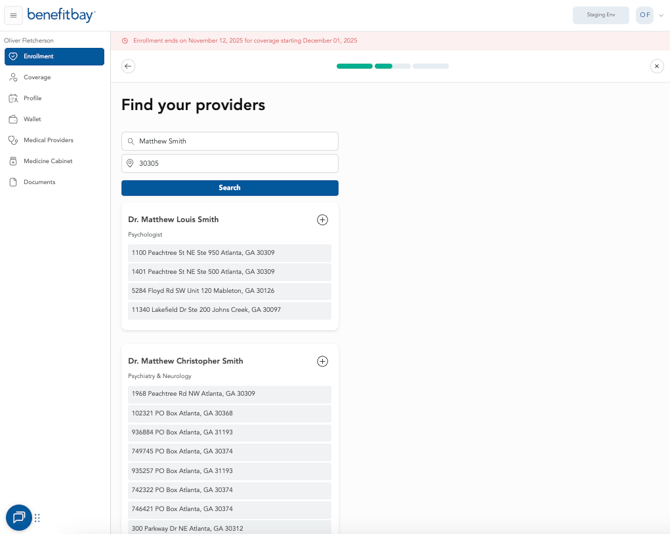
It is important to verify the address of your provider or facility. Providers may offer care from various locations. The location of your provider may impact which plans are In-Network for you. Once you verify the location of your choice, select the (+) symbol to add the provider.
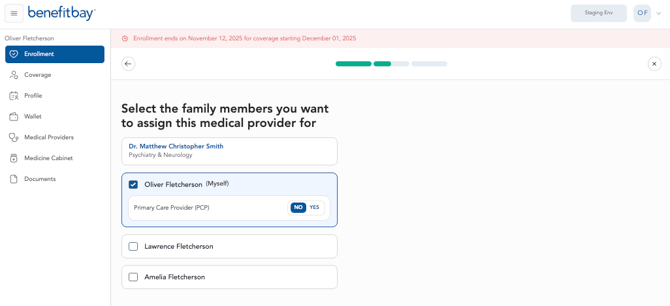
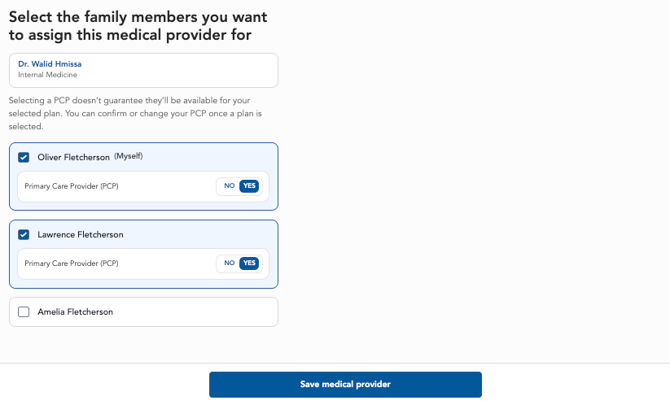
Next, you have the option to assign the provider as a primary care provider. Select "Yes" to mark this provider as primary for each family member who will see them.
If your dependents have different providers, select "Add Provider" at the bottom of the page to enter each provider individually for the appropriate family member.
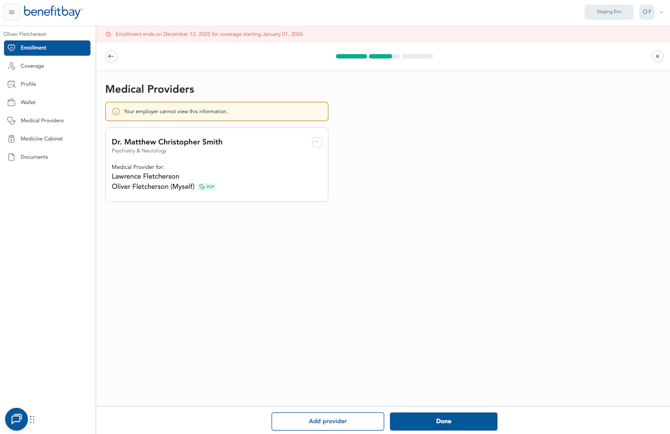
For each dependent seeing a different primary care provider, select "Yes" for that provider and click "Save Medical Provider" to add them to the correct family member.
After adding all required providers for each family member, click "Done" at the bottom of the page to proceed to your next step.
IMPORTANT CAUTION: If you have a provider that is important to you or a loved one, we advise you to verify directly with the provider that they do accept the insurance plan you are interested in before completing the enrollment. Providers and carriers can change contracts often and may have not provided up-to-date information. For best practice, we highly encourage you to double-check with the provider.
Click here to see the next video/article of the journey.